CHALLENGE INFORMATION
Platform: TryHackMe
Path: Pre Security
Module: How The Web Works
Room: DNS in Detail
Description: Learn how DNS works and how it helps you access internet services.
What Is DNS?
In this section, we reviewed the introduction to the Domain Name System (DNS).
Question 1: What does DNS stand for?
Domain Name System
Domain Hierarchy
Did you know that there are TLDs such as flowers, mango, and yoga? In this section, we examined generic top-level domains (gTLDs), country-code top-level domains (ccTLDs), second-level domains, and subdomains.
Question 1: What is the maximum length of a subdomain?
63
Question 2: Which of the following characters cannot be used in a subdomain (3, b, _, -)?
_
Question 3: What is the maximum length of a domain name?
253
Question 4: What type of TLD is .co.uk?
ccTLD
Record Types
We reviewed the different DNS record types and their functions.
Question 1: What type of record would be used to advise where to send email?
MX
Question 2: What type of record handles IPv6 addresses?
AAAA
Making a Request
In this section, we learned about the steps involved in resolving a domain name request and the order in which they occur.
Question 1: What field specifies how long a DNS record should be cached for?
TTL
Question 2: What type of DNS server is usually provided by your ISP?
recursive
Question 3: What type of server holds all the records for a domain?
authoritative
Practical
We used the static site provided in this task to perform DNS queries.
To query a record, we selected the DNS Type (#1) and entered the subdomain (#2) we wanted to query. The interface automatically adjusted the command in the command line.

Figure 1: Default DNS query
Notice that we specified only shop as the subdomain when querying the CNAME record for shop.website.thm.

Figure 2: DNS query - specifying CNAME record type
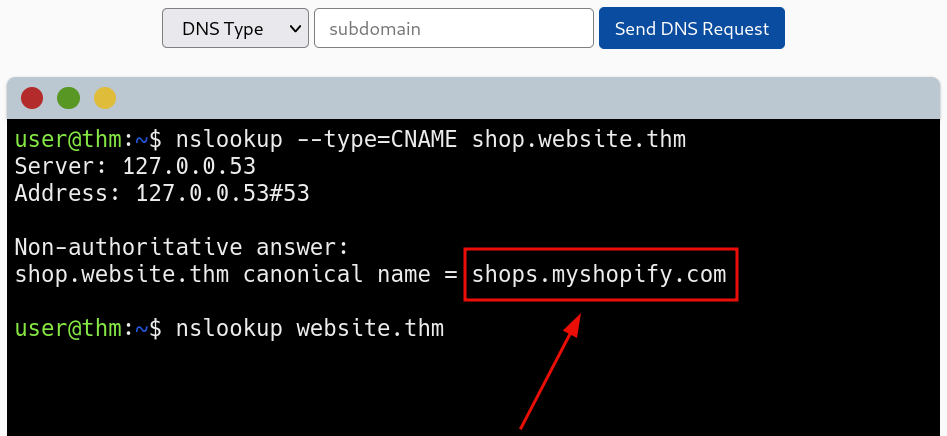
Figure 3: DNS query - specifying CNAME - results
When querying the TXT record for website.thm, we left the subdomain field blank.
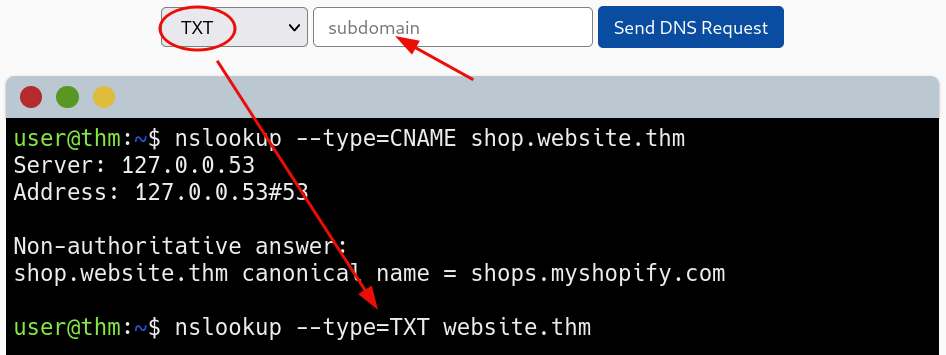
Figure 4: DNS query - specifying TXT record type
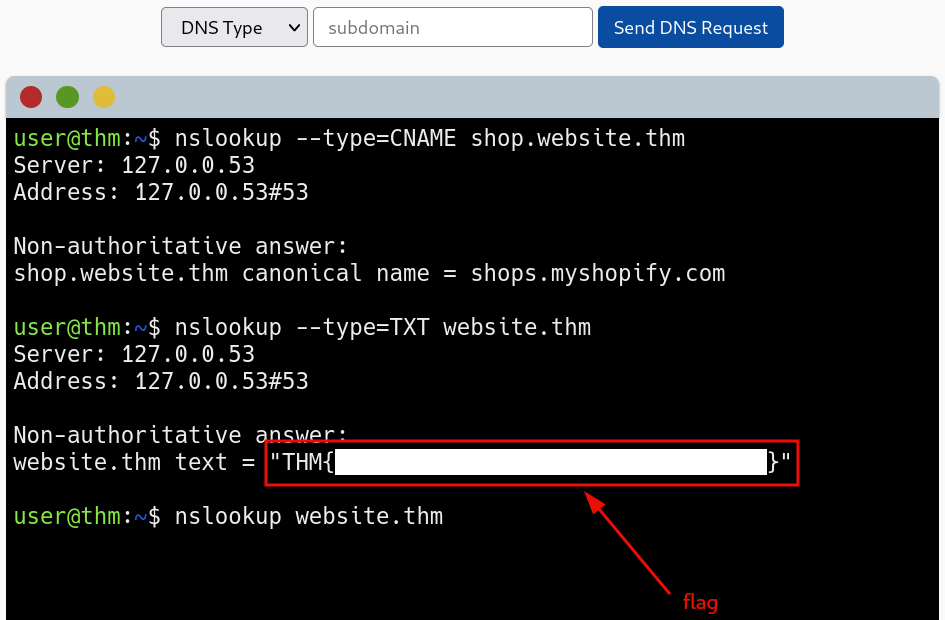
Figure 5: DNS query - redacted flag
We followed the same procedure when querying the MX record.
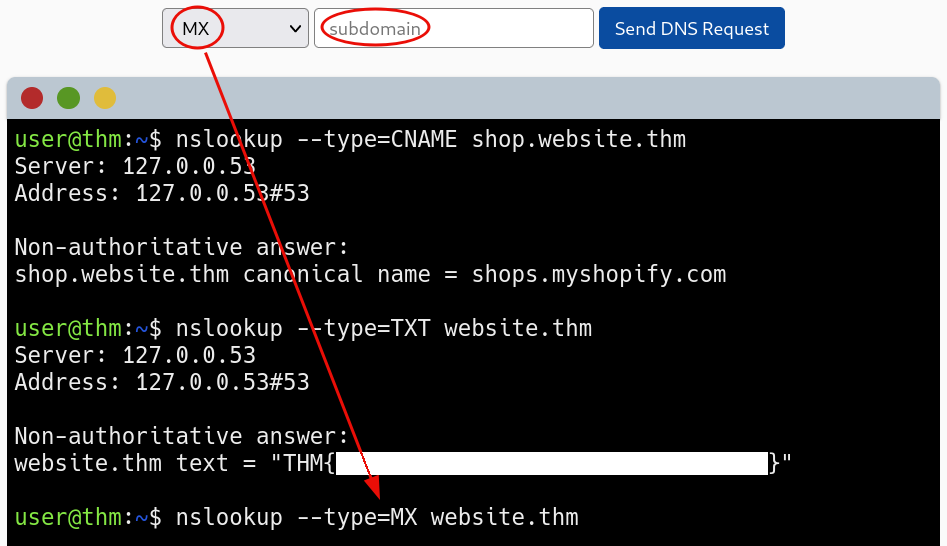
Figure 6: DNS query - specifying MX record type
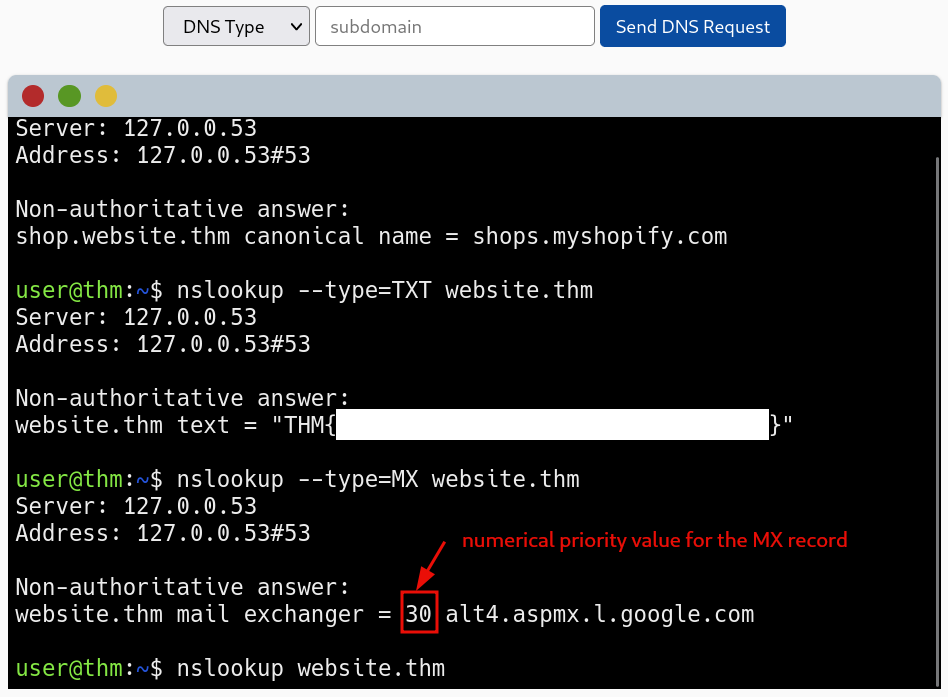
Figure 7: DNS query - MX type results
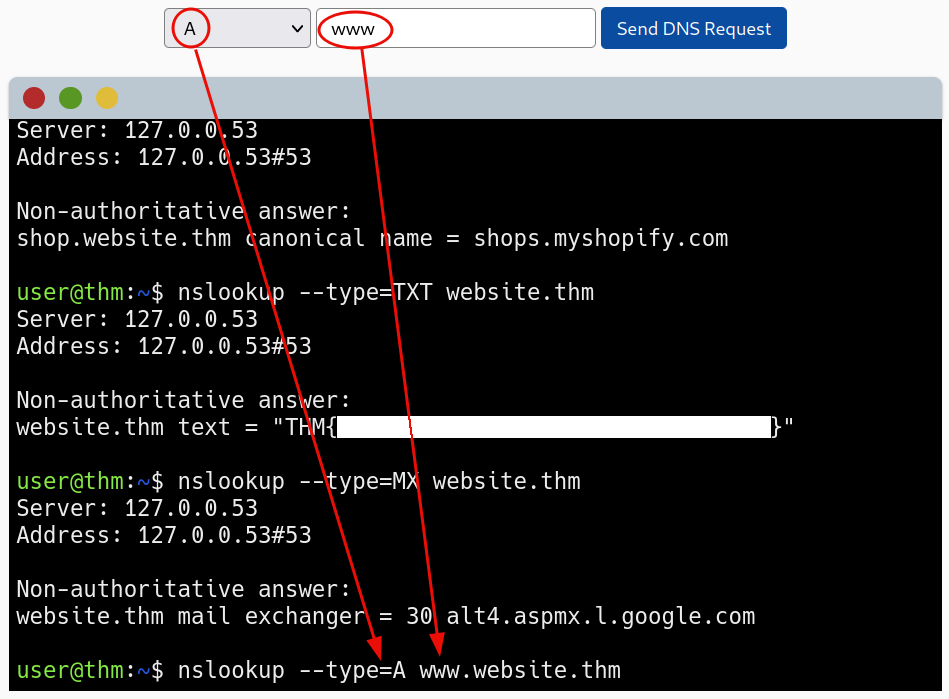
Figure 8: DNS query - A record type
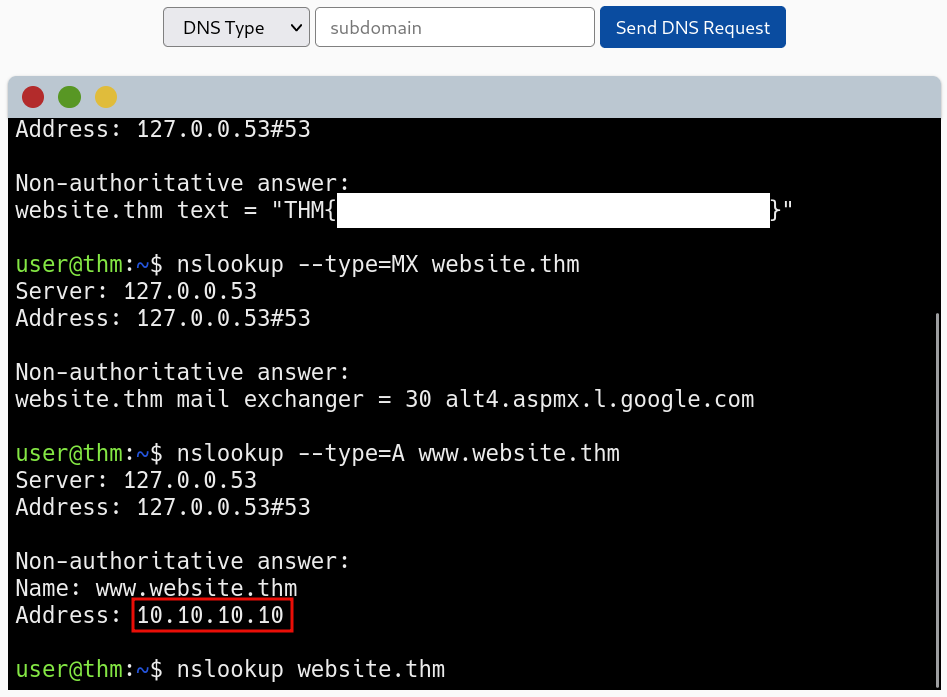
Figure 9: DNS query - A type results
The command used above was:
# query Internet name servers interactively
nslookup --type=CNAME shop.website.thm
# type=value        This keyword changes the type of the information query to value.
#                   The defaults are A and then AAAA;
#                   the abbreviations for these keywords are q and ty
# shop.website.thm  <name>
This completed the room.
Question 1: What is the CNAME of shop.website.thm?
shops.myshopify.com
Question 2: What is the value of the TXT record of website.thm?
<redacted-flag>
Question 3: What is the numerical priority value for the MX record?
30
Question 4: What is the IP address for the A record of website.thm?
10.10.10.10