Challenge Information
Platform: TryHackMe
Path: Pre-Security
Module: How the Web Works
Room: Putting It All Together
Description: Learn how all the individual components of the web work together to bring you access to your favorite websites.
Introduction
We begin this room by reading a brief overview that sets the stage for the topics ahead. This section provides foundational context before we dive into the specific components of web infrastructure.
Question 1: I’ve read this…
No answer needed
Other Components
This section introduces four critical infrastructure components: load balancers, content delivery networks (CDNs), databases, and web application firewalls (WAFs).
Understanding how these elements function independently – and how they integrate into the broader web ecosystem – is essential for grasping modern web architecture.
Question 1: What can be used to host static files and speed up a clients visit to a website?
CDN
Question 2: What does a load balancer perform to make sure a host is still alive?
health check
Question 3: What can be used to help against the hacking of a website?
WAF
How Web Servers Work
Next, we examine web servers and their operational mechanics. We explore the distinction between static and dynamic content, as well as the role of backend processing in modern web applications.
Question 1: What does web server software use to host multiple sites?
Virtual Hosts
Question 2: What is the name for the type of content that can change?
Dynamic
Question 3: Does the client see the backend code? Yay/Nay
Nay
Quiz
The final task requires assembling the components of a web request in the correct chronological order. We drag and drop the tiles to map the flow of a request from initiation to response.
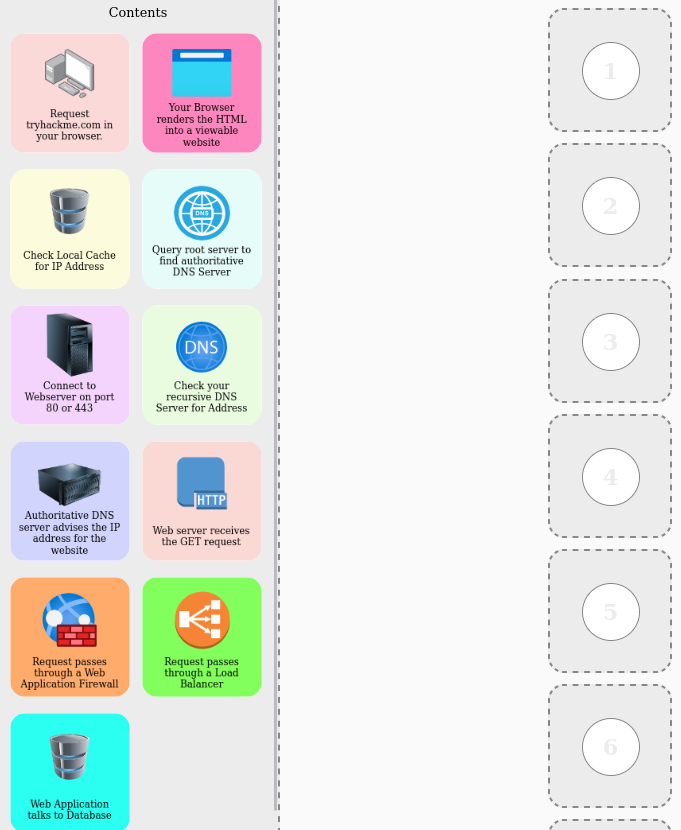
Figure 1: Mapping the correct order of a web request
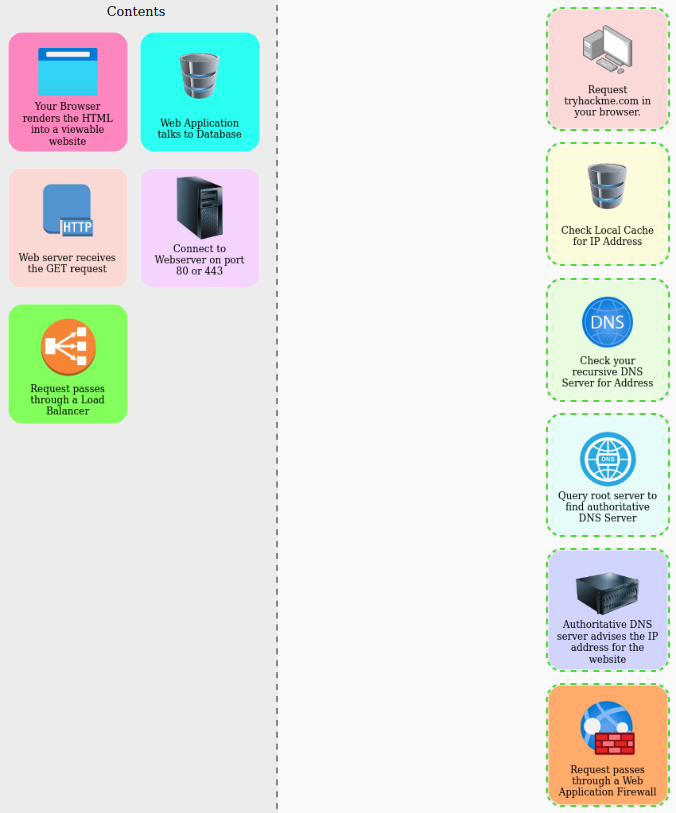
Figure 2: Mapping the correct order of a web request, part 1
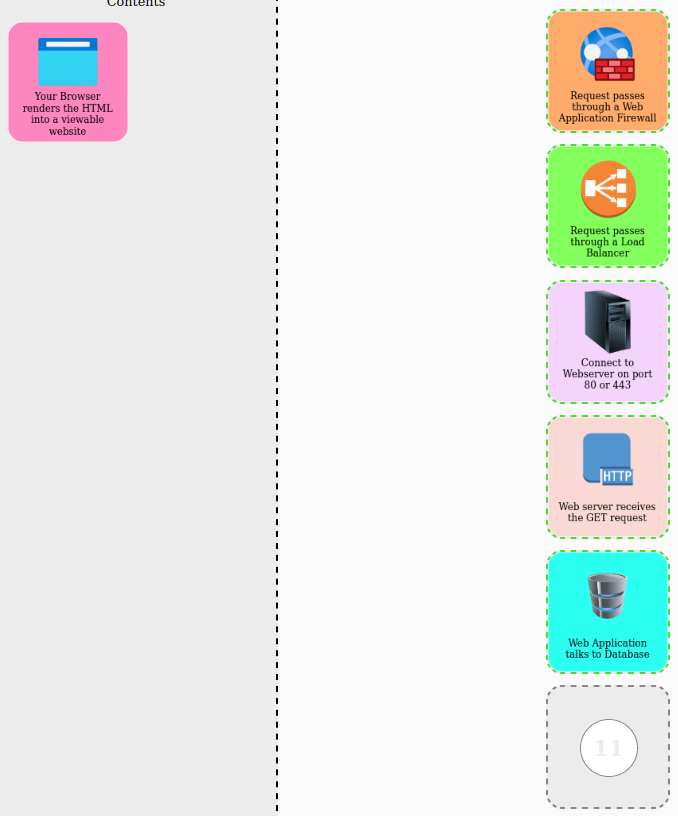
Figure 3: Mapping the correct order of a web request, part 2
After placing the last tile into its rightful place, we are rewarded with a pop-up window displaying the flag.
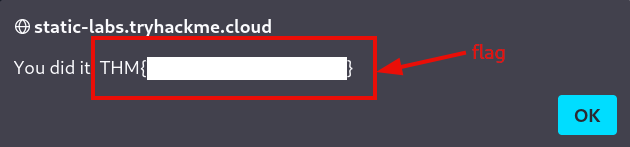
Figure 4: Redacted flag
Question 1: Flag
<redacted-flag>
Conclusion
We have now reached the end of this room – and with it, the completion of the entire How the Web Works module. As the saying goes: three down, two to go.