CHALLENGE INFORMATION
Platform: TryHackMe
Path: Pre Security
Module: Introduction to Cyber Security
Room: Offensive Security Intro
Description: Hack your first website (legally in a safe environment) and experience an ethical hacker’s job.
Hacking Your First Machine
Our objective in this task is to hack a fake bank application called FakeBank. Following the steps in the room, we gain access to a Linux machine where we can run commands.
First, we print the current working directory (see the red circle marked 1, hereafter referred to as #1) and list all files and directories within it (see #2).
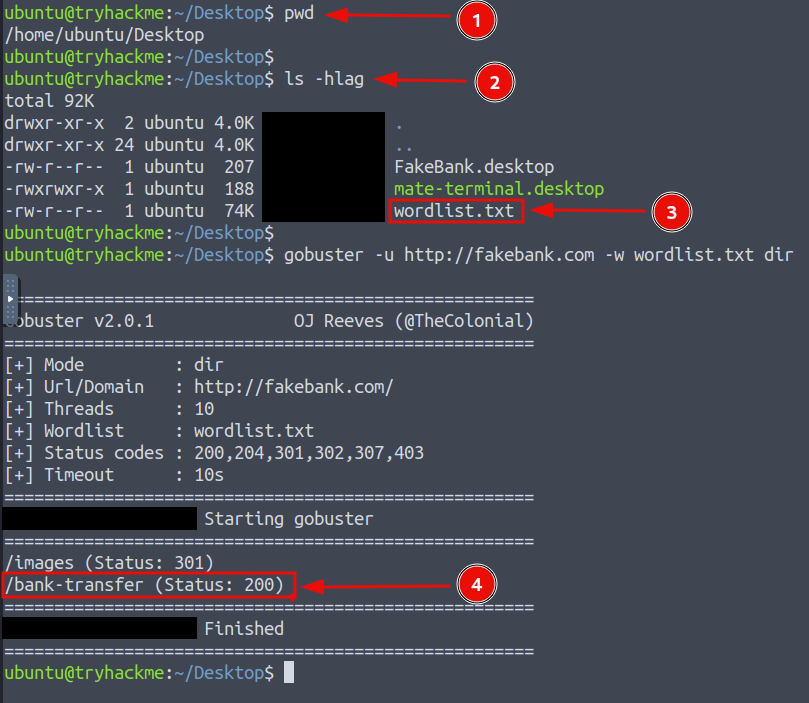
Figure 1: Complete terminal interaction
The following commands were used:
# Print name of current/working directory
pwd

# List directory contents
ls -hlag
# -h    --human-readable
# -l    Use a long listing format
# -a    --all (include hidden files)
# -g    --group-directories-first

# Brute-force URIs, including directories and files,
# as well as DNS subdomains
gobuster -u http://fakebank.com -w wordlist.txt dir
# -u    The target URL
# -w    Path to the wordlist
# dir   Uses directory/file enumeration mode
These commands verify our access to the wordlist file containing possible directory names. Using this file, Gobuster iterates through the list to find directories present on the target website, http://fakebank.com/.
gobuster -u http://fakebank.com -w wordlist.txt dir
As shown in the tutorial, Gobuster discovers a page called /bank-transfer on the target website. We can now navigate to this page in a browser.
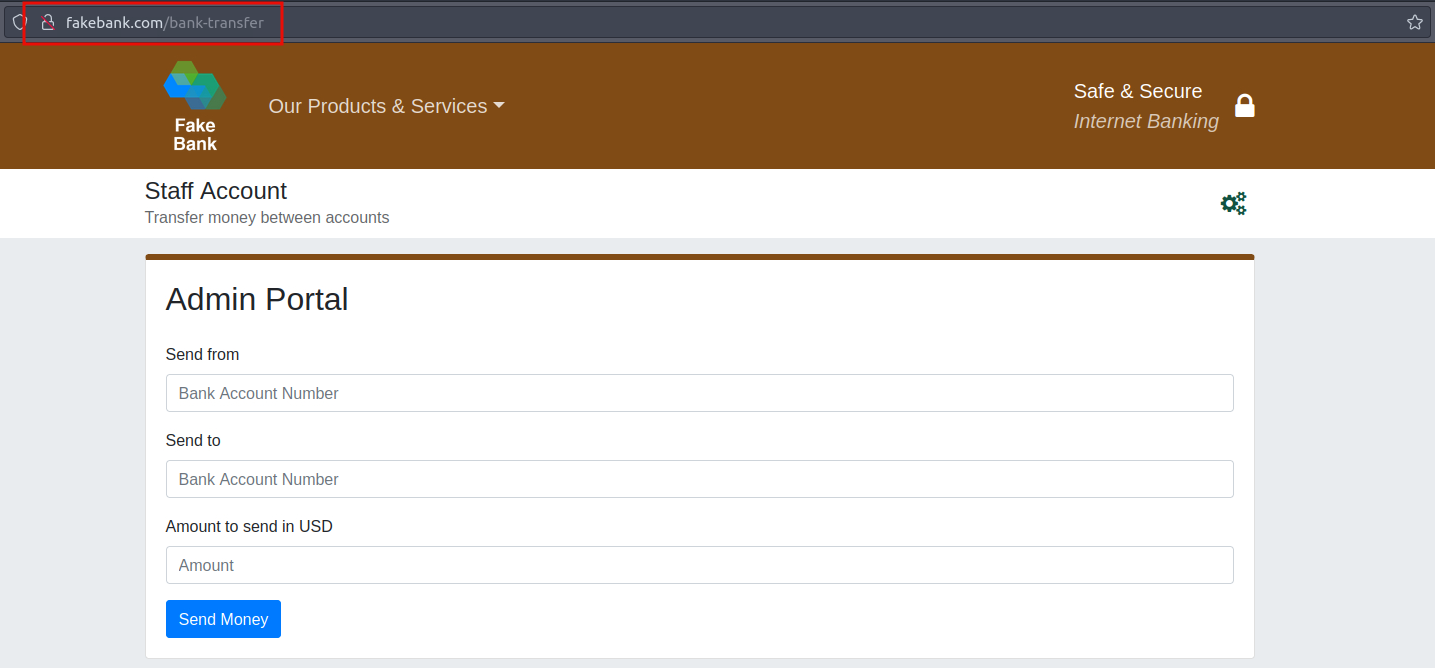
Figure 2: Admin portal with money transfer functionality
Note that we append the discovered directory to the target URL to obtain the full address: http://fakebank.com/bank-transfer.
After filling out the transfer parameters and sending the money, we obtain the flag.
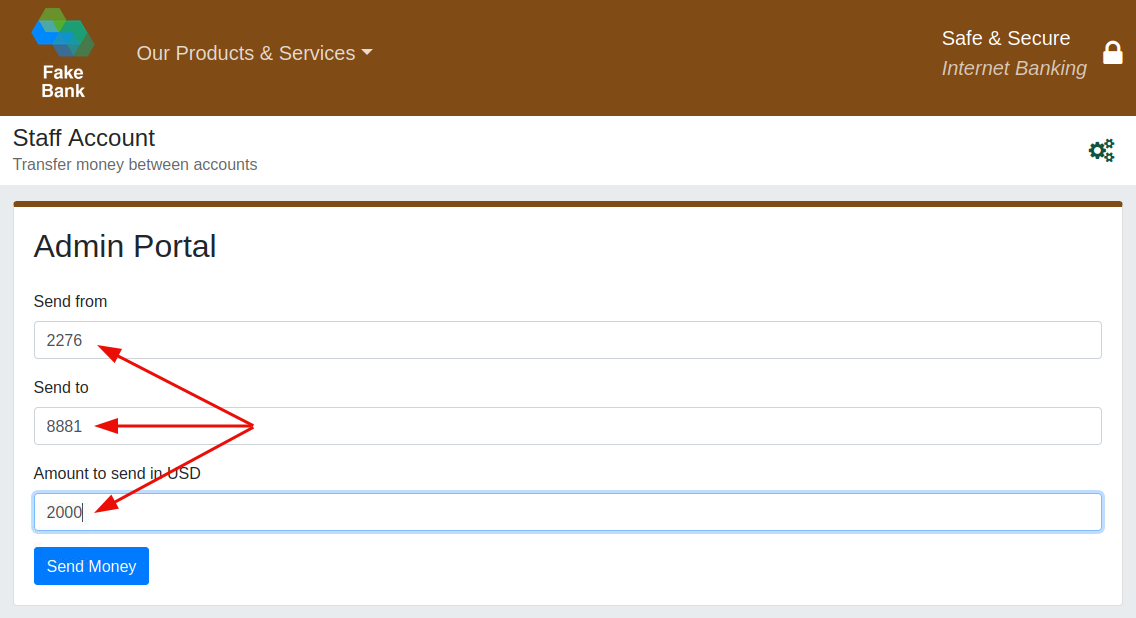
Figure 3: Transferring funds
To view the flag, we must return to the target site’s main page: http://fakebank.com/.
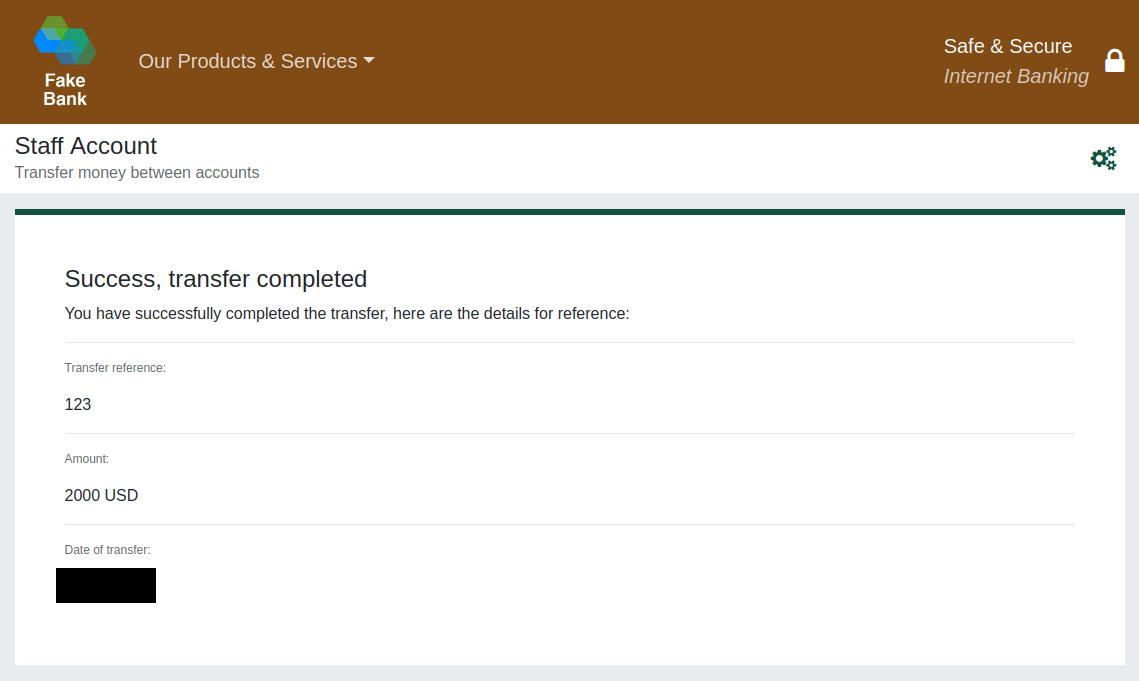
Figure 4: Successful money transfer
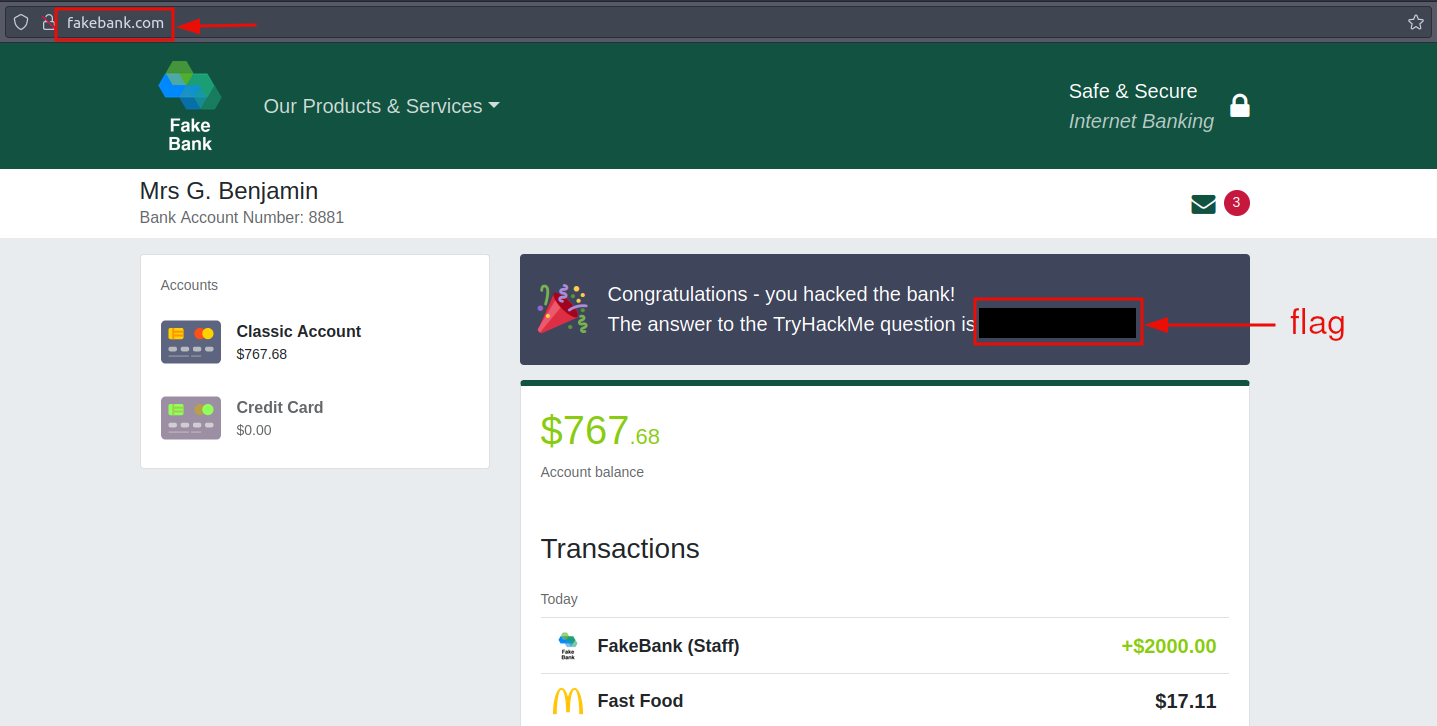
Figure 5: Redacted flag
With the flag in hand, answering the questions before proceeding to the next task should pose no difficulty.
Questions and Answers
Question 1: When you’ve transferred money to your account, go back to your bank account page. What is the answer shown on your bank balance page?
<redacted-flag>
Question 2: If you were a penetration tester or security consultant, this is an exercise you’d perform for companies to test for vulnerabilities in their web applications; find hidden pages to investigate for vulnerabilities.
No answer needed
Question 3: Terminate the machine by clicking the red Terminate button at the top of the page.
No answer needed
What Is Offensive Security?
Read the introduction to offensive security before proceeding to the next task.
Question 1: Read the above.
No answer needed
Careers in Cyber Security
Review the possible careers in cyber security before finishing the task.
With that, we successfully complete our first room in the module. Remember to terminate the Linux machine if you have not already done so before proceeding to the next room. (See Task 1 for further details.)
Question 1: Read the above, and continue with the next room!
No answer needed